
FinePrint Product Legal Room
Legal Room
Your company's legal record, kept in one place
Your documents, facts and decisions, together in one place. Your Legal AI Team works from it: Counsel prepares new work from the record, and FineShield, your legal autocorrect, flags messages that break the contracts and policies in it. You decide who sees it.


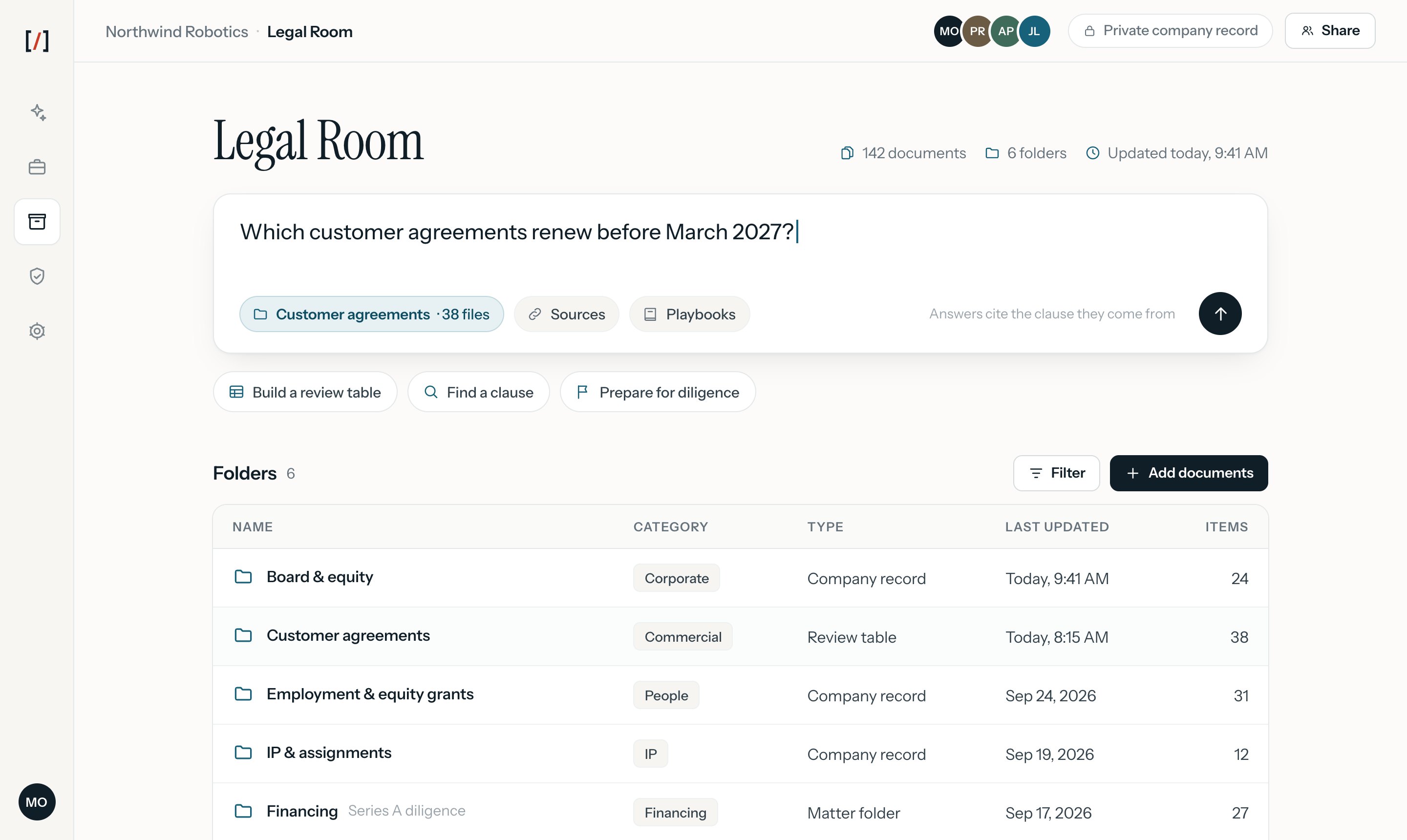
Ask questions across your documents
Find agreements, facts, and decisions by asking the question you have.


Answers with their sources
Each answer links to the clause it came from, so you can check it before you act.
Across every document you add
Agreements, board approvals, equity records and policies are searched together.
Open the underlying record
Go from an answer to the signed document and the matter behind it.
Turn agreements into a review table
See who you signed with, the dates, what each side owes, and the open questions, across a set of agreements. Each finding stays tied to its document, so your team can check it.
Key terms and dates
Bring them into a view you can check against the source.
Status on every document
See what meets the playbook and what still needs a decision.
Export the view
Take the table to a board meeting, a diligence request or a lawyer.


Keep each decision with its document
See the task behind an agreement, the version that was signed, and who approved or reviewed it.
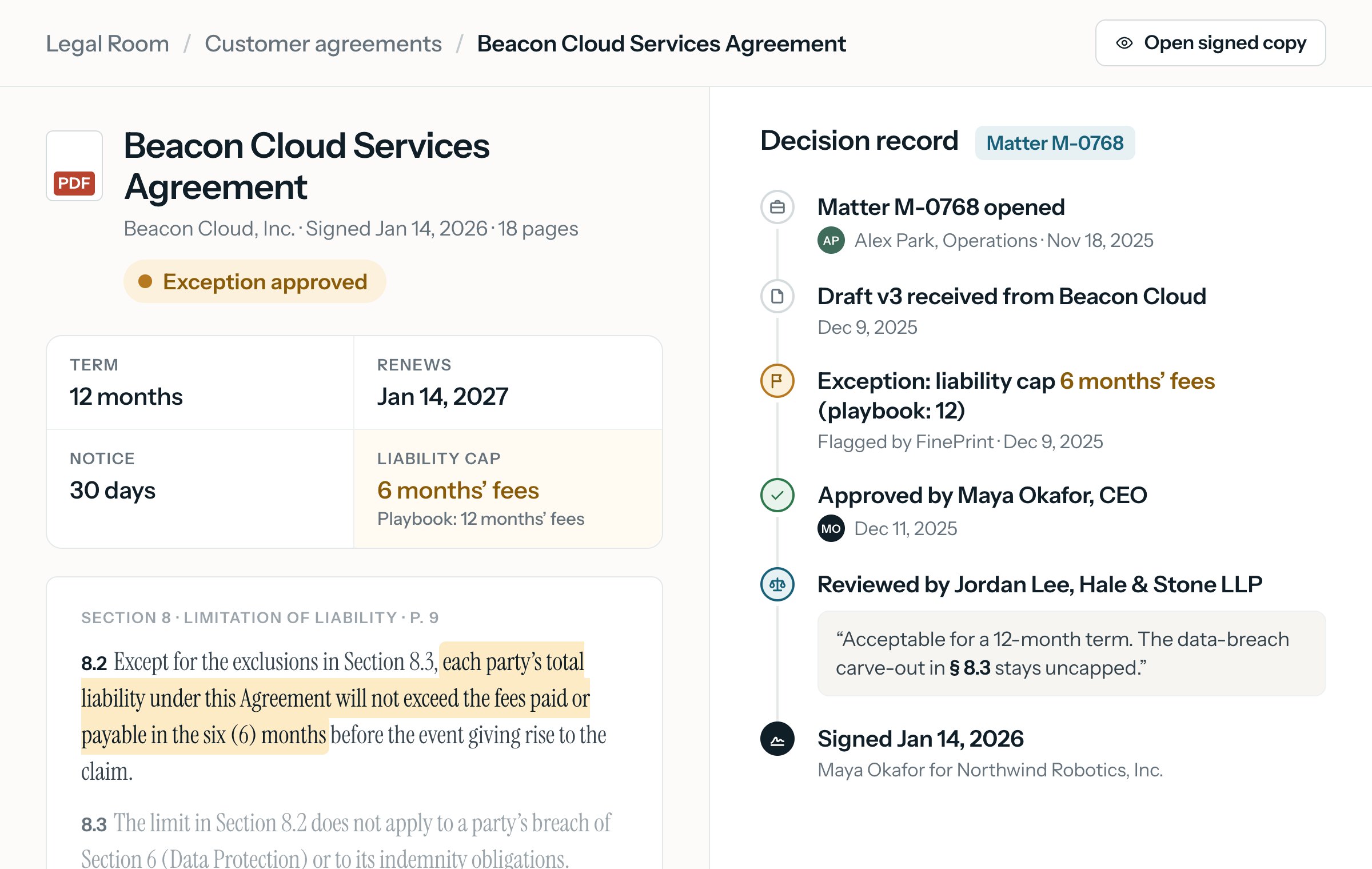
Know the status before using the record
Meets the playbook
The document was checked against your company's playbook and matches it.
Exception approved
The document departs from the playbook, and the person authorized to approve the departure approved it.
Open
A question or an exception is still waiting for a decision.
Unchecked
The document is in the Legal Room but has not been checked yet.

Control who sees each matter
Set access for your team and for the lawyers you hire, and change it as their work changes.
Roles for your team
Owners, editors and viewers see what their role allows.
Matter-only access for lawyers
A lawyer you hire sees the matter they are working on, and nothing else.
Access that ends
Review or remove access when a matter closes or someone's work changes.

How companies use the Legal Room



Diligence requests
Answer an investor's, buyer's or auditor's request list from documents that are already organized.
Hiring
The Employment & HR teammate starts offer letters from your equity plan, earlier offers and the approvals you require.
Customer renewals
See which agreements renew next and how much notice each one needs.
Board and equity records
Keep consents, grants and cap table changes with the decisions behind them.
Working with counsel
Give your in-house or outside lawyers the task they need, with its history attached.
Checks against your own rules
FineShield compares messages with your contracts and policies, cites the source, and routes the decision to the approver you name.

You keep control of your record
Your Legal Room is used for your company's work. It is not part of the shared training corpus. Export your record whenever you need it.